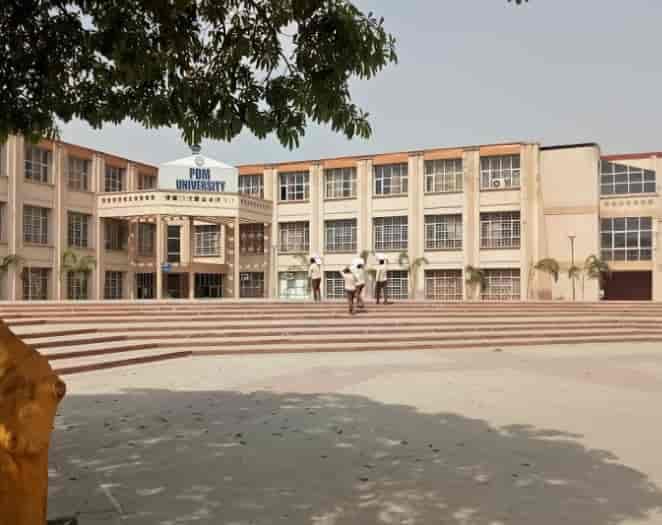



PDM University Result 2026: Check PEDS Semester Marks & Dates



Latest update (15 November 2026): PDM University has resumed normal academic schedules following the Diwali recess (6–13 November 2026). Semester grade cards for the May/June 2026 end-semester examinations are accessible on the PEDS portal (peds.pdm.ac.in). The next odd-semester theory examinations are expected in February 2027 (Tentative, based on the February 2026 examination cycle).
PDM University publishes regular and reappear semester examination results for its 23 degree programmes—including B.Tech, B.Pharm, BDS, BBA, BCA, and MBA—online via the PEDS portal (peds.pdm.ac.in). Enrolled students access scorecards using their official PDM Webmail credentials, while admission seat allotment updates are issued on pdm.ac.in.
Table of Contents
PDM University Examination & Allotment Schedule 2026–2027
PDM University manages academic scorecards through the PDM Educational Directory Service (PEDS) portal, while seat allotment notices for new admissions are published on the main university website. Results for 23 degree options with fees ranging from ₹41,200 to ₹7.39 Lakh per year (as outlined under PDM University Courses & Fees) follow the official academic calendar timeline.
| Timeline / Date | Examination / Notification Title | Applicable Courses | Required Credentials | Official Portal Link |
|---|---|---|---|---|
| July 2026 | May/June 2026 Even Semester Regular & Reappear Exam Results | All UG & PG Courses (B.Tech, B.Pharm, MBA, BBA, BCA, B.Sc) | PDM Webmail UserID + Password | PEDS Portal Login |
| July 2026 | Phase 1 Seat Allotment Result (Admissions 2026–27) | UG, PG & Diploma Programmes | Application No. + Password | Check Allotment Status |
| September 2026 | Annual Theory Examinations (D.Pharma 2nd Year & B.Ed 1st Year) | D.Pharm & B.Ed Programmes | Public Date Sheet & PEDS Login | pdm.ac.in |
| February 2027 (Tentative) | Odd Semester Theory End-Semester Examinations (1st Sem Regular & Re-appear) | Engineering, Pharmacy, Law, Commerce, Management | PDM Webmail UserID + Password | PEDS Portal |
| May / June 2027 (Tentative) | Even Semester Theory End-Semester Examinations | All Enrolled UG & PG Batches | PDM Webmail UserID + Password | PEDS Portal |
PDM University Result 2026: How to Check Semester Scorecard on PEDS
To check PDM University semester results online, students must log in to the PEDS portal at peds.pdm.ac.in using their official PDM Webmail UserID and Password. Once logged in, students select their examination session and semester from the dashboard to view and download their provisional grade card.
- Navigate to the PEDS Portal: Open a web browser and go to the official student portal at peds.pdm.ac.in.
- Enter Institutional Login Credentials: Input your complete PDM Webmail UserID (e.g., your university email address) and your account password. General roll numbers cannot be used without webmail authentication.
- Access the Examination Tab: Locate and click on the "Examination" or "Results / Grade Card" link on the student dashboard.
- Select Examination Session: Choose the relevant academic term (e.g., May/June 2026) and select your enrolled course semester.
- View and Save Grade Card: Review your subject-wise grades and SGPA/CGPA on the screen. Download a PDF copy and print it for official records.
If you experience webmail password issues, click the "Forgot password?" option on the PEDS screen or visit the SSC Counter / IT Cell at Sector 3A, Sarai Aurangabad, Bahadurgarh.
How to Check PDM University Admission Allotment Results
PDM University publishes admission merit lists and phase-wise seat allotment results on its main website rather than the PEDS portal. Prospective students can track their application status through the following steps:
- Visit the official website at www.pdm.ac.in.
- Click on the "ADMISSIONS" tab located on the primary navigation menu.
- Select "Admission News & Notices" from the dropdown options.
- Click the link corresponding to your admission phase (such as Phase 1 Seat Allotment Result).
- Enter your Application Number and Password to verify allocated seats and course fee deadlines.
Details Printed on PDM University Grade Cards
The provisional marksheets issued on the PEDS portal serve as an official record of semester performance. Students must verify all printed fields immediately after downloading:
- Student's Full Name and Photograph
- Enrollment Number / Registration Number
- Programme and Branch Name (e.g., Bachelor of Technology in Computer Science and Engineering)
- Subject Codes and Course Titles
- Credits Assigned to Each Course
- Letter Grade and Grade Points Earned
- Semester Grade Point Average (SGPA)
- Cumulative Grade Point Average (CGPA)
- Result Status (Pass / Fail / Reappear)
PDM University Grading System & Reappear Rules
PDM University evaluates academic performance using a 10-point Choice Based Credit System (CBCS) grading scale across all faculties. Under university regulations, any course in which a student obtains an 'F' grade (representing marks below 40% or 0 grade points) is classified as a Reappear.
Students with backlog papers must register for regular odd/even semester reappear exams or special reappear examination cycles as announced by the Controller of Examinations. As per Controller of Examinations Notification Ref. PDMU/COE/2026/1381, the reappear examination fee is ₹1,000 per paper/module, payable by the notified deadline at the Student Service Centre (SSC) Counter.
Answer Script Re-evaluation Procedure
Students seeking verification of marks or totaling checks in theory examinations must apply for re-evaluation within 10 to 15 days of scorecard publication on the PEDS portal. The procedure requires the following steps:
- Obtain the Form: Download the official Re-Evaluation Application Form from the university website or collect it directly from the Controller of Examinations office / SSC Counter.
- Complete Course Details: Fill in your name, enrollment number, programme name, semester, and specific subject codes requiring re-evaluation.
- Pay Prescribed Fee: Remit the prescribed per-subject re-evaluation fee through the payment mode specified on the official notice form.
- Submit to COE Office: Hand in the completed form along with the fee payment receipt to the office of the Controller of Examinations within 15 days of result declaration.
Sources
Frequently Asked Questions
How do I check my PDM University semester result online?
Log in to the official PEDS portal at peds.pdm.ac.in using your institutional PDM Webmail UserID and Password. Select the 'Examination' or 'Results' section on your dashboard, choose your examination session and semester, and download your provisional grade card.
Can I check PDM University results using only my roll number?
No, PDM University centralizes result access on the PEDS portal, which requires students to log in with their official PDM Webmail UserID and password rather than a standalone roll number.
What is the fee for PDM University reappear examinations?
As per university examination notifications, the fee for reappear examinations is ₹1,000 per paper/module. Forms and receipts must be submitted to the SSC Counter before the declared deadline.
What is the deadline to apply for re-evaluation at PDM University?
Students must submit the prescribed re-evaluation form along with the per-subject fee to the Controller of Examinations office within 10 to 15 days of result declaration on the PEDS portal.
Where can prospective students check PDM University admission allotment results?
Admission seat allotment notices and application status links are posted under the 'Admission News & Notices' section on the main university website at pdm.ac.in.

fits you best?
Get personalized guidance from our admission counselors